Information, updates, and new features about Habit Rewards app. Subscribe to the newsletter.
Give your goals their own coins 🪙
|
Hi there, Some goals deserve their own budget. With custom coins, the habits you pick earn their own currency. Earn Fitness Coins from workouts. Spend them on new running shoes. 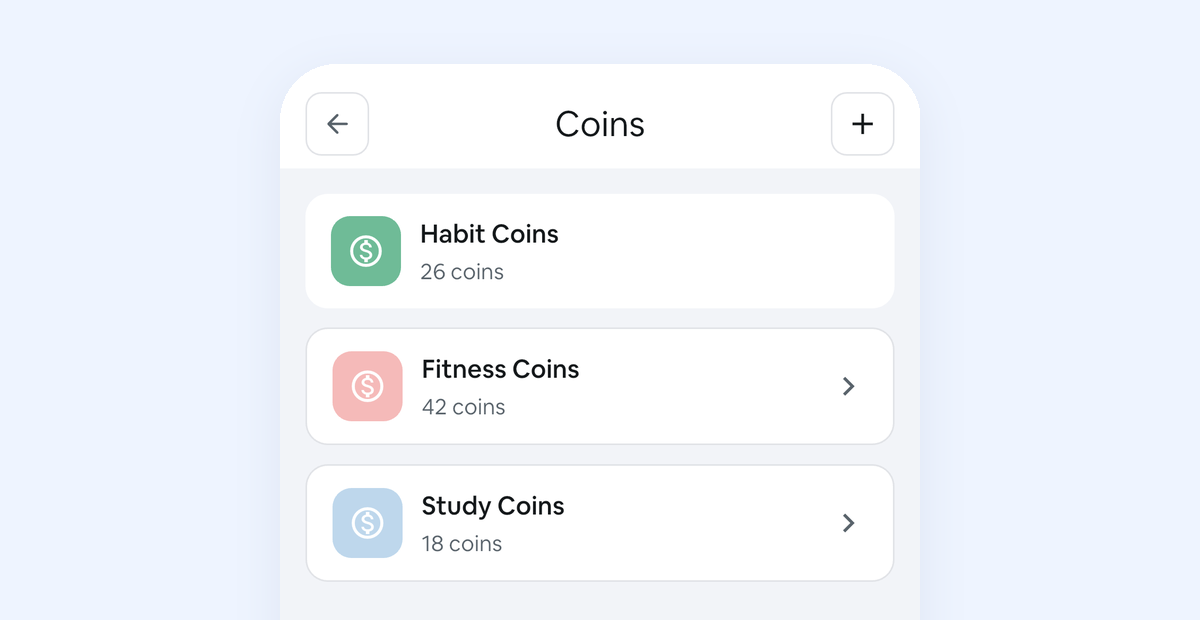 To make one:
Custom coins are free, on iPhone and Android. Open the app and give one goal its own coin. Happy habit-building! |
Habit Rewards
Information, updates, and new features about Habit Rewards app. Subscribe to the newsletter.
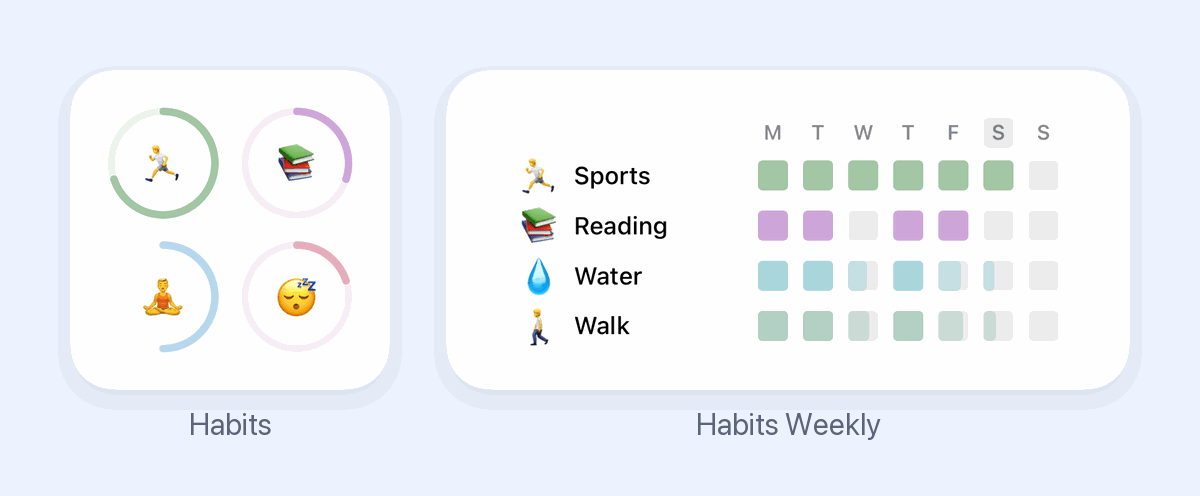
Hi there, Habit Rewards has two home-screen widgets, and both are free. 🟢 Habits shows a progress ring for each habit today. 📅 Habits Weekly shows your whole week, one row per habit. Tap a habit's ring to check it off and collect its coins. To add one, long-press an empty spot on your home screen, add a widget, and search for Habit Rewards. Happy habit-building!
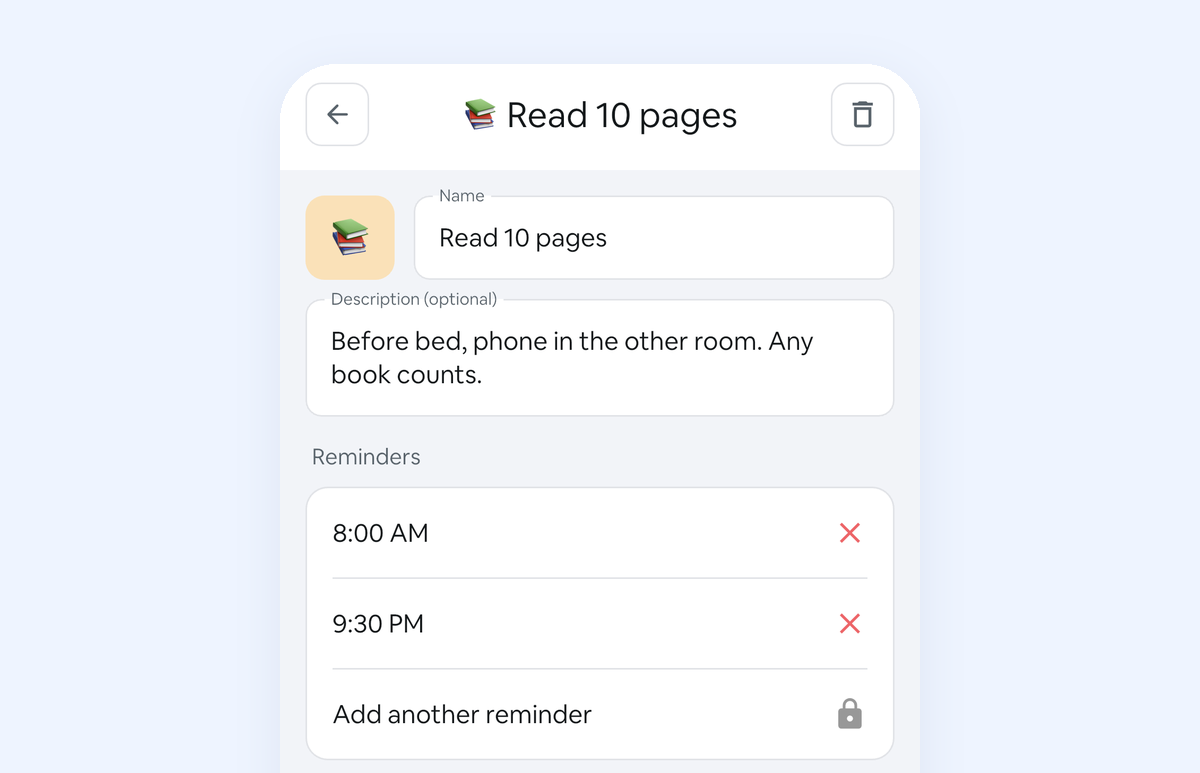
Hi there, If a habit reminder went quiet on you, that was our bug, not you. Since an update last year, a reminder could stop a day after you set it. It's fixed in the latest version of the app, on iPhone and Android: 1. Update Habit Rewards.2. Open it.3. Your reminders come back at the times you set. Want a nudge in the morning and another at night? Open a habit, tap the pencil and add a second reminder (extra reminders come with Pro). Happy habit-building!
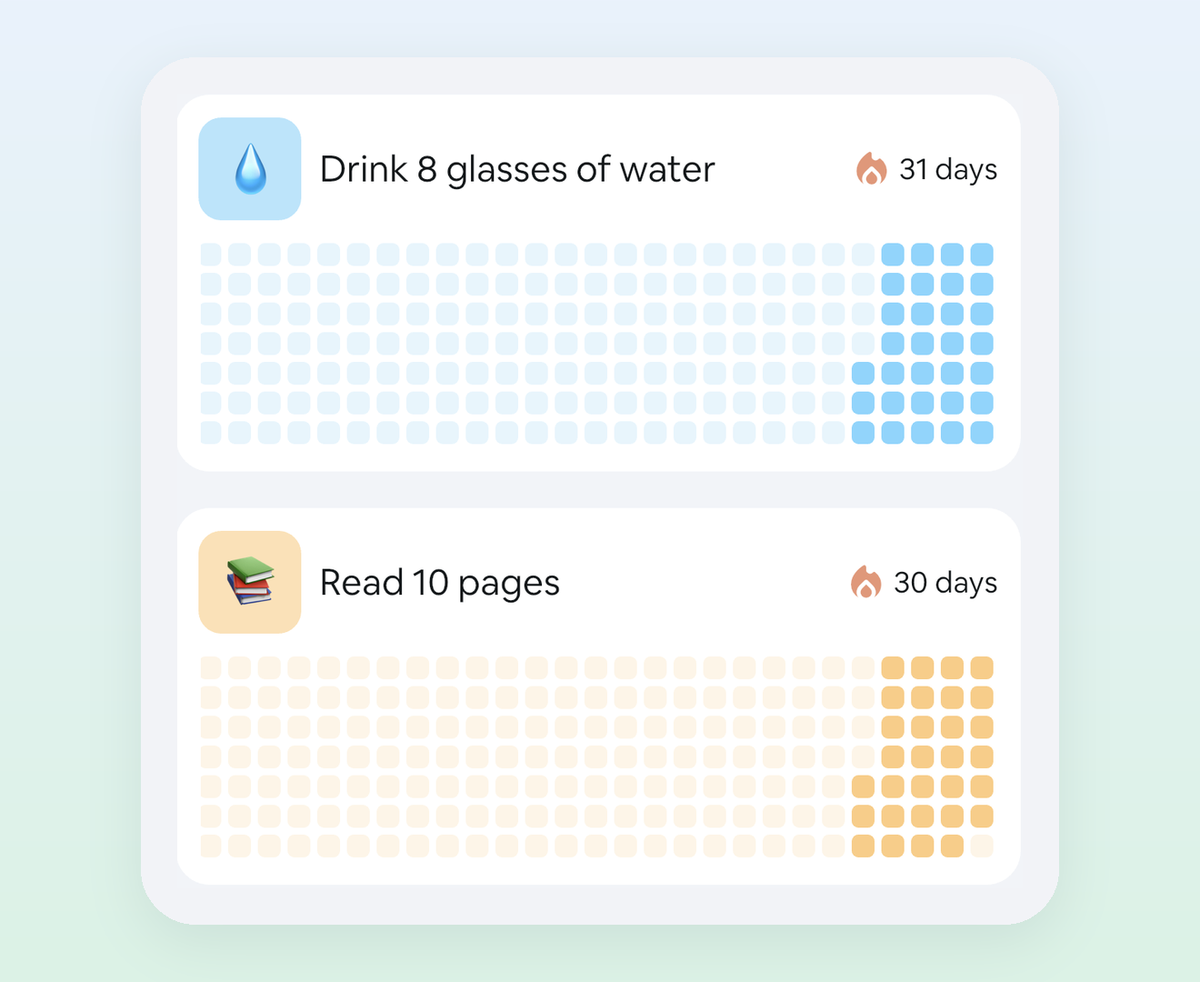
Hi there, November has 30 days. That's a 30-day challenge with a finish line built in. The plan: Pick one habit you can do on a bad day too. Add it in Habit Rewards. Start on Sunday, November 1. Add a reward worth saving for. Every check-in earns coins toward it. Want it on paper too? Print a free 30-day tracker. Open the app and pick your habit. Happy habit-building!